 Sempere
Using Sempere
Search and handwriting recognition
What search covers, how Sempere reads your handwriting on the device, and how highlights take you to each match.
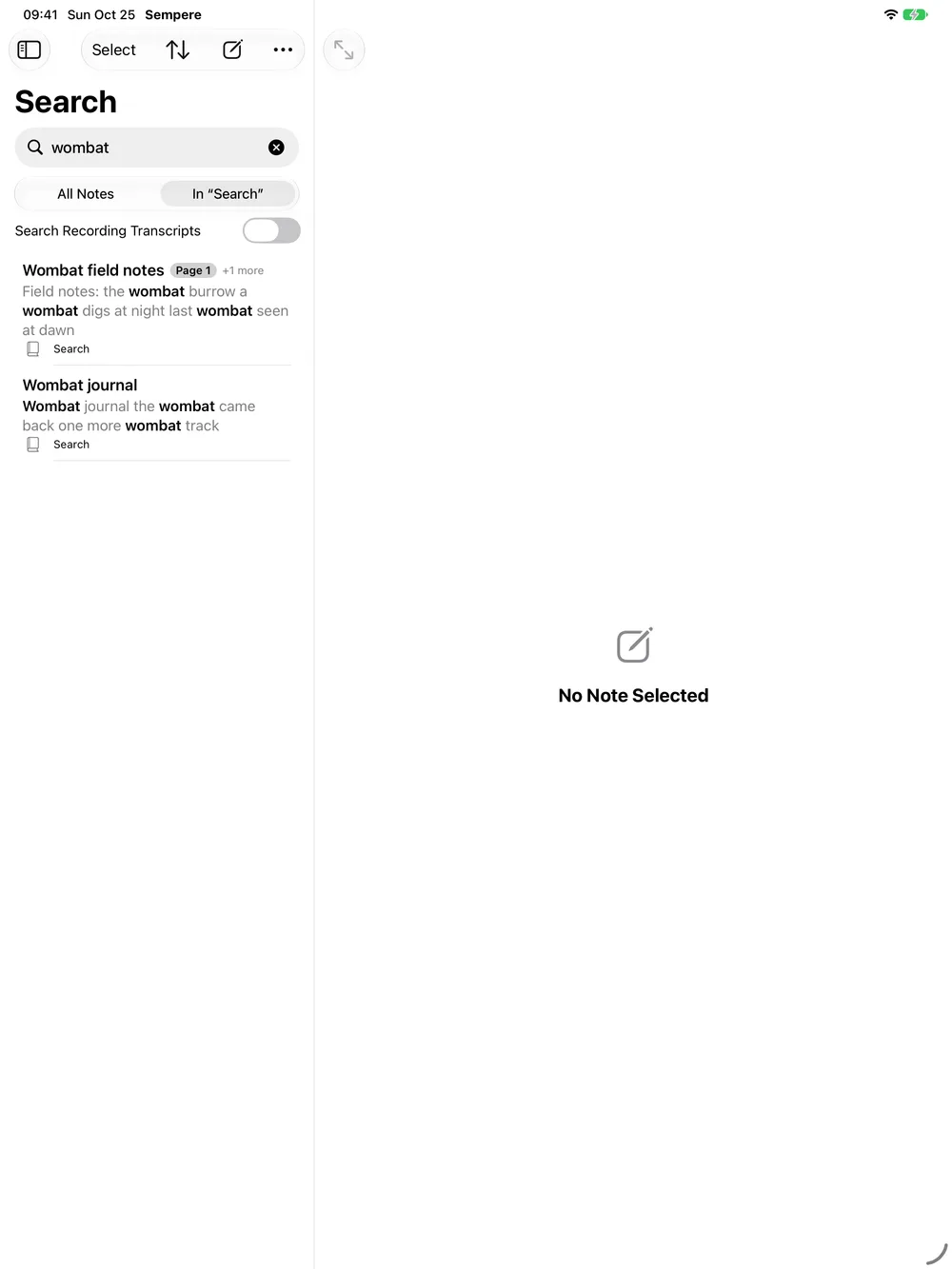
Type in the note list’s search field (“Search notes and handwriting”; ⌘F on the Mac). Search covers:
- titles, tags and notebook names;
- your handwriting, once it has been recognized;
- text boxes, the text of PDF pages, and the LaTeX source of equations;
- recording transcripts, if you turn on Search Recording Transcripts (above the results, or in Settings ▸ Audio & Transcription ▸ Search).
Every word you type must match. The scope bar picks between All Notes and the list you were looking at (a notebook, a tag, Favorites, Recently Deleted). Recent searches show when the field is empty.
Highlights
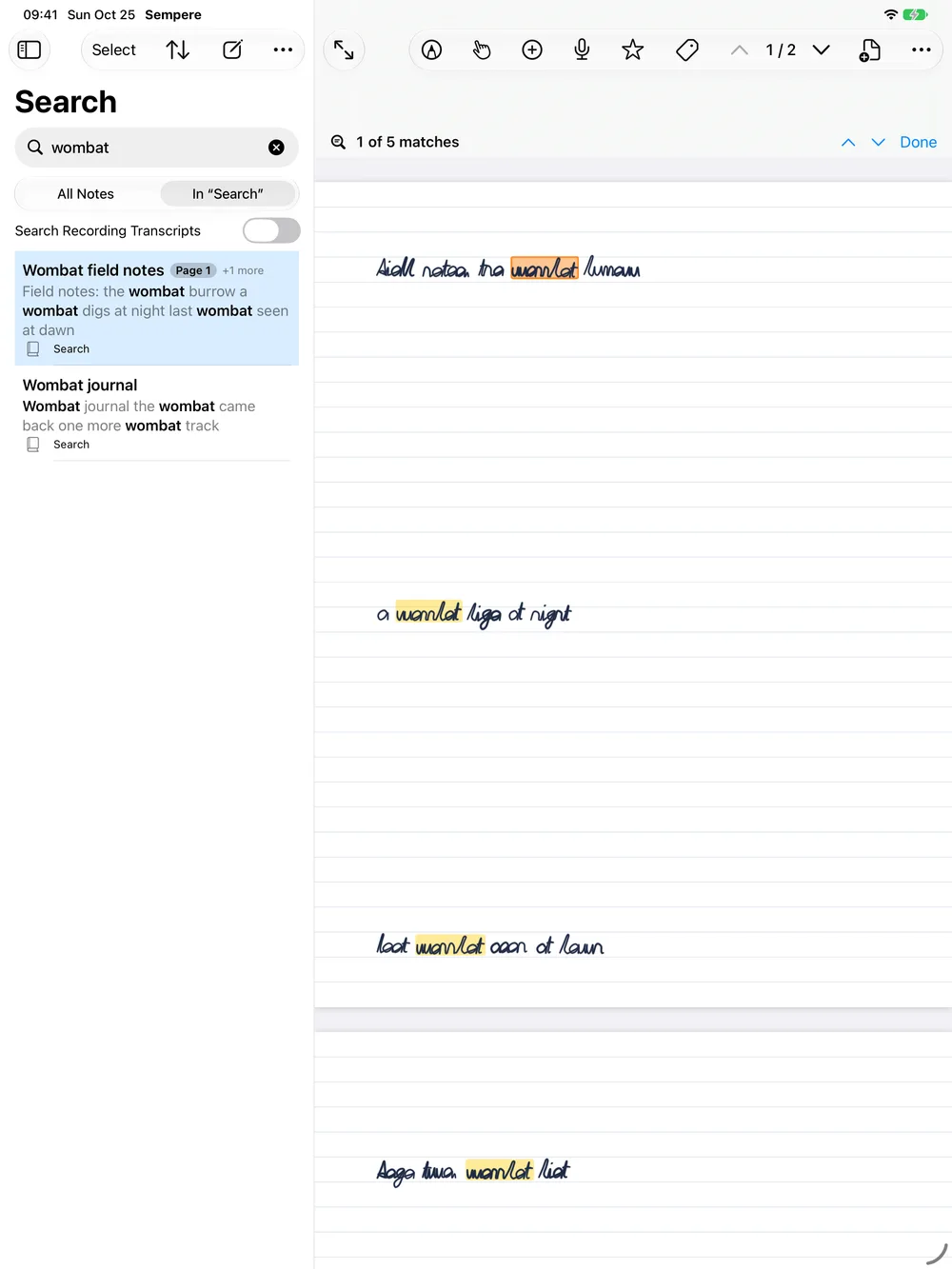
Open a result and the matching words are highlighted on the page, with a bar above the note: “3 of 12 matches”, Previous Match and Next Match (⇧⌘G and ⌘G on the Mac), and Done. Each step scrolls to the match, across pages too.
Handwriting recognition
Sempere reads your handwriting with Apple’s on-device recognizer (Vision). Nothing is sent anywhere. The recognized text is stored, encrypted, inside the note, so every device and the web viewer can search it, including the CLI on Linux.
- It is on by default: Settings ▸ Writing ▸ Handwriting Recognition ▸ Recognize Handwriting.
- New and changed pages are read in the background. Imported notes and notes from before you turned it on wait their turn.
- To read all waiting notes at once, open the note list’s Handwriting menu (on the iPhone, in the list’s ⋯ menu) and choose Recognize N Notes Now (the same menu has the Recognize Handwriting switch). A bar shows “Reading handwriting: N of M notes”, with Stop.
- Afterward, Recently Recognized in the sidebar lists the notes that were read.
On a Mac, the CLI can do the same for a whole vault: sempere recognize --all --missing-only.
When a word is not found
- Recognition can misread a word, especially quick or joined-up writing. Try another word from the same line.
- Check that recognition is on, and run Recognize N Notes Now.
- Notes still downloading from a sync target (iCloud Drive or WebDAV) are not read until they arrive.
- Transcripts are searched only when Search Recording Transcripts is on.