 Sempere
Best practices
Backup strategy
A 3-2-1 plan for your vault, the app's built-in backups, verifying them, and restoring.
Sync is not a backup: a deleted note or a mistake syncs to every device. A backup is a <Name>.sempere-backup snapshot for recovery that only you change, kept somewhere else. Devices share a vault through sync targets; nothing syncs from a backup.
The classic rule is 3-2-1: three copies, on two kinds of storage, one of them off-site. Every Sempere copy is already encrypted, so a backup can go anywhere.
Backups in the app
Choose Back Up To when you create a vault, or open Settings ▸ Backups & History ▸ Backups.
- Choose Backup Folder…: an external drive, a NAS share, or a folder of another cloud provider. It must be outside the vault. The backup goes into
<Name>.sempere-backupinside it. - Back Up Now. The first run copies everything; later runs copy only what is new.
- Set Remind Me (after 1, 3, 7, 14 or 30 days) so the app tells you when a backup is overdue.
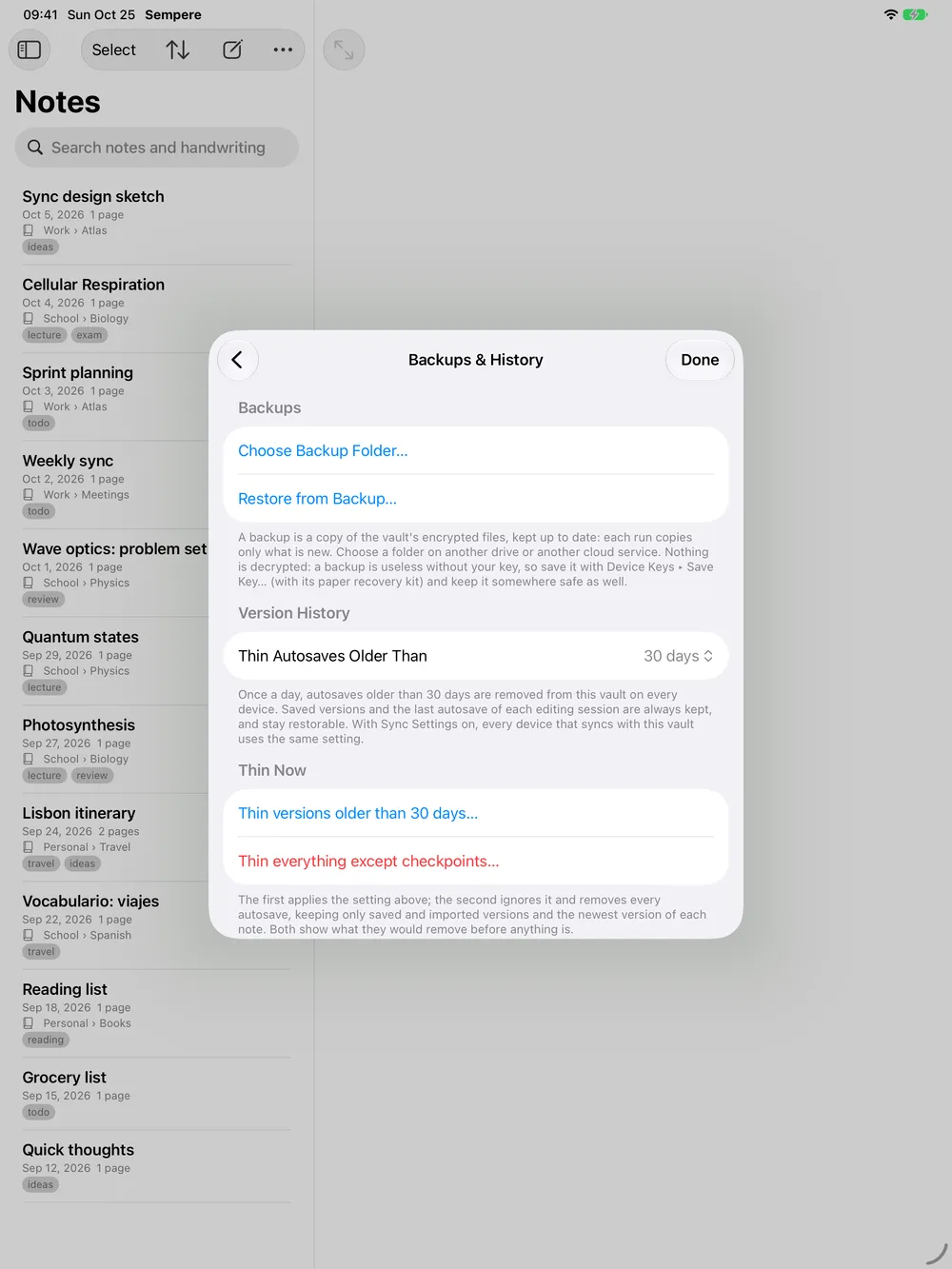
A backup holds only encrypted files and opens with your devices’ keys or the recovery kit, like the vault.
Check that it works
- Verify Backup checks the copy and, while the vault is unlocked, decrypts every revision. Last Check shows “Healthy” or “Problems found”.
- Restore from Backup… (in the same place, or on the welcome screen) shows what the backup holds before anything is written, then restores it onto this device. It opens with the same keys as the vault that was backed up. If that vault is already on this device, Sempere asks before replacing it, and changes made since the backup are lost, so to test a backup, restore it on another device or with the CLI. Open Vault… on a backup makes a separate, one-time copy; to share a vault, sync it.
- Once, on another computer, open a backup in the web viewer with your recovery kit, or check it with the CLI:
sempere backup verify DIR --recovery-key key.txt. If that works, you can recover from anything short of losing both the kit and every copy.
Backups with the CLI
On a Mac or a Linux server, the CLI does the same, without a key:
sempere backup ~/Notes.sempere --to /mnt/backup/Notes.sempere-backup -q
sempere backup verify /mnt/backup/Notes.sempere-backup -q
sempere backup status /mnt/backup/Notes.sempere-backup --max-age 7
A backup also keeps revisions that the vault later thins away (unless you add --prune), so it holds history the vault has let go. To schedule it, see Nightly encrypted backup with the CLI and cron.
The off-site copy
Copy the backup folder somewhere else with any tool: an rsync to a friend’s NAS, a cloud bucket, a disk you keep at work. Since the files are encrypted, the place does not have to be trusted with your notes, only with keeping files.
Exports, as a last resort
Once in a while, a readable export of everything (Export All Notes…, PDF, To Folder or Zip…) is a copy you can read with no key and no Sempere. It is not encrypted: keep it as safe as a paper notebook.
What backups do not cover
- The keys. Keep the recovery kit separately. A backup does not hold any device’s key.
- Plaintext on your devices, such as exports you made.
- A backup on the same disk as the vault. Use a different device or provider.