 Sempere
Advanced
Settings and settings sync
Every group in Settings, and how to share your settings between devices through the vault.
Open Settings from the sidebar’s More menu ▸ Settings (on the Mac, Sempere ▸ Settings…, ⌘,). It has six groups.
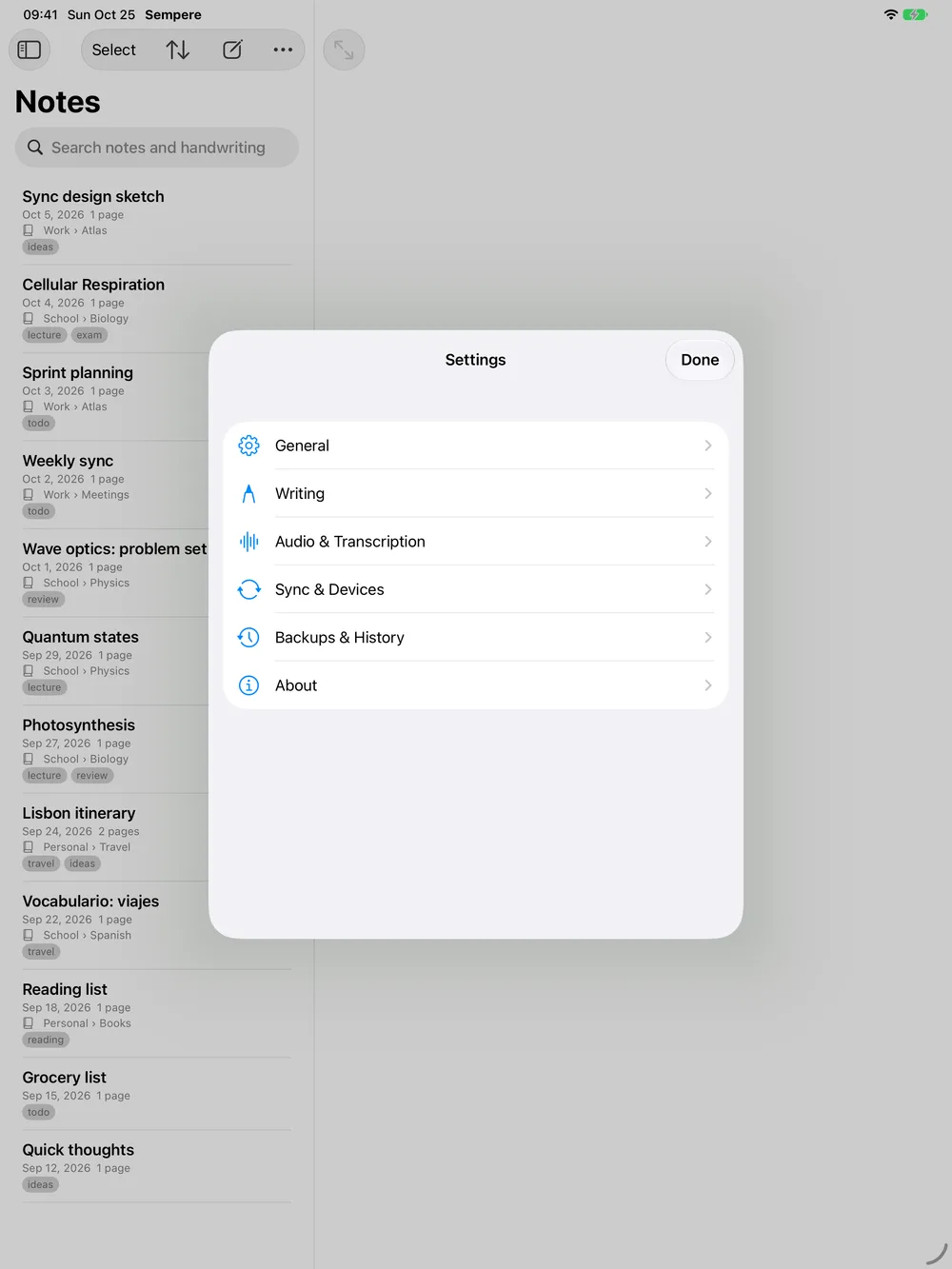
| Group | What is in it |
|---|---|
| General | Appearance: the theme (System, Light, Dark) and Note Pages (Light by default, Dark or Match App); App Language, whose Open System Settings button opens Sempere’s page in the system Settings (Sempere uses the language chosen for it there: English or Spanish); Keep Screen On (iPad, iPhone); App Icon; on the Mac Show in Menu Bar. |
| Writing | Editor: eraser mode and size, Compact Palette, Smooth Mouse Strokes (Mac). New Notes: title format, paper, layout. Handwriting Recognition. Handwritten Math (Experimental). Photos: Remove Location and Camera Data. |
| Audio & Transcription | Recording (format, quality, sample rate, channels), Transcription (with Preferred Language), Quick Voice Notes (including a warning, with Open Sempere’s Settings, when Live Activities or the microphone are off), and Search Recording Transcripts. |
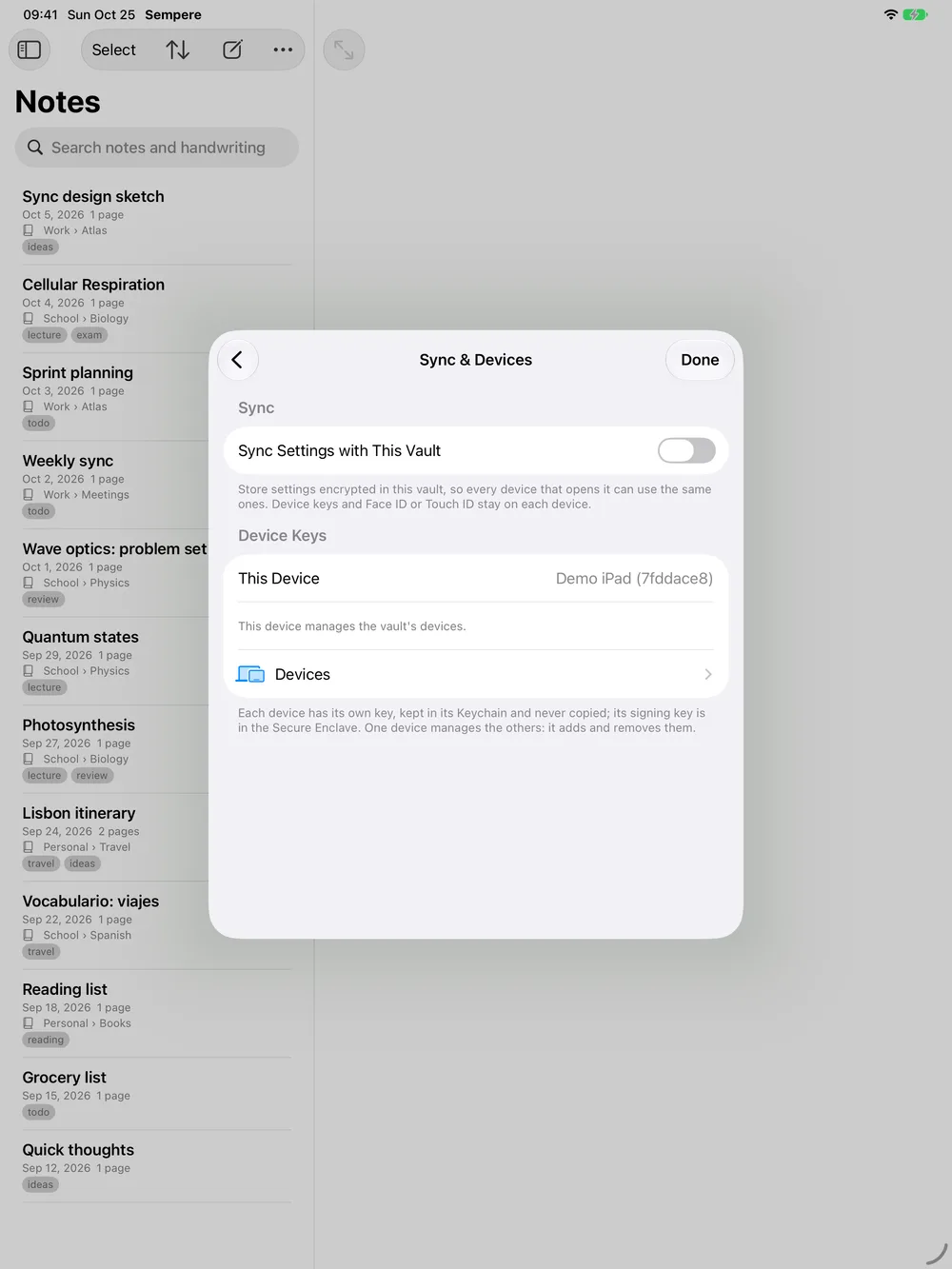
| Sync & Devices | Sync Settings with This Vault, Sync Targets…, and Device Keys: this device’s name, Require Face ID to Open, and Devices, the vault’s device list (Managing devices and keys). |
| Backups & History | Backups, Version History (thinning), and Storage: unused attachments, attachments held by history, the vault and its sync targets, and cache sizes. |
| About | Version, About Sempere (license, security links, source code, third-party licenses), Sempere Website, Privacy Policy, Show Quick Tour and About Your Key. |
Settings sync
Settings are kept per device until you turn on Settings ▸ Sync & Devices ▸ Sync Settings with This Vault. Then they are stored in the vault as one encrypted file, settings.age, and every device that turns the switch on uses them. The switch is per device and per vault.
When you turn it on and the vault already holds different values, a Sync Settings sheet lists each difference and offers Use the Vault’s Settings or Replace the Vault’s Settings with This Device’s.
What syncs: nearly everything you set in Settings: recognition, new-note title, paper and layout, the palette and eraser, recording and transcription options (including Preferred Language), the notebook and transcription choice of quick voice notes, photo privacy, thinning, the backup reminder, the theme and note pages, and the Mac- and iPad-only options for those devices.
What never syncs: keys and anything in the Keychain, Face ID choices, whether quick voice notes are on, the backup folder and its results, window layouts, recent searches, downloaded models and caches.
Exceptions per device: touch and hold a setting (or use its badge’s menu) to keep it Only on This Device, or Only on iPads (iPhones, Macs: your kind of device). Use Synced Value undoes the first and Use on All Devices the second.
If two devices change the same setting, the later change wins. Settings sync pauses, and says why under the switch, while the vault is read-only or was written by a newer Sempere that needs an update; edits made while the vault is read-only are written once it is writable again.
From the CLI:
sempere settings list
sempere settings get editor.defaultPaper
sempere settings set history.thinAfterDays 90
sempere settings set editor.compactPalette true --type iphone   # only on iPhones
sempere settings schema                                          # every key and its values
The full list of keys, with defaults, is in docs/settings-sync.md.