Sempere: end-to-end encrypted handwritten notes

Handwriting notes for iPad, iPhone and Mac, end-to-end encrypted with keys you hold. Open source, no account, no server of ours: notes are encrypted files in a folder you choose.

App StoreComing soon Live demo GitHub

Encrypted

Each note is an age file, hybrid post-quantum (ML-KEM-768 + X25519). Each device has its own key; a printed kit holds the recovery key. How it works.

Open source

GPL-3.0-or-later. No telemetry. age, gunzip and jq can read a note without the app. Source.

Many clients

iPad, iPhone, Mac, a sempere CLI for macOS and Linux, and a browser viewer. Specs.

Every device keeps the whole vault and works offline. Devices sync both ways through a shared .sempere folder (iCloud Drive or any storage the Files app reaches) or a WebDAV server. Backups are separate snapshots for recovery.
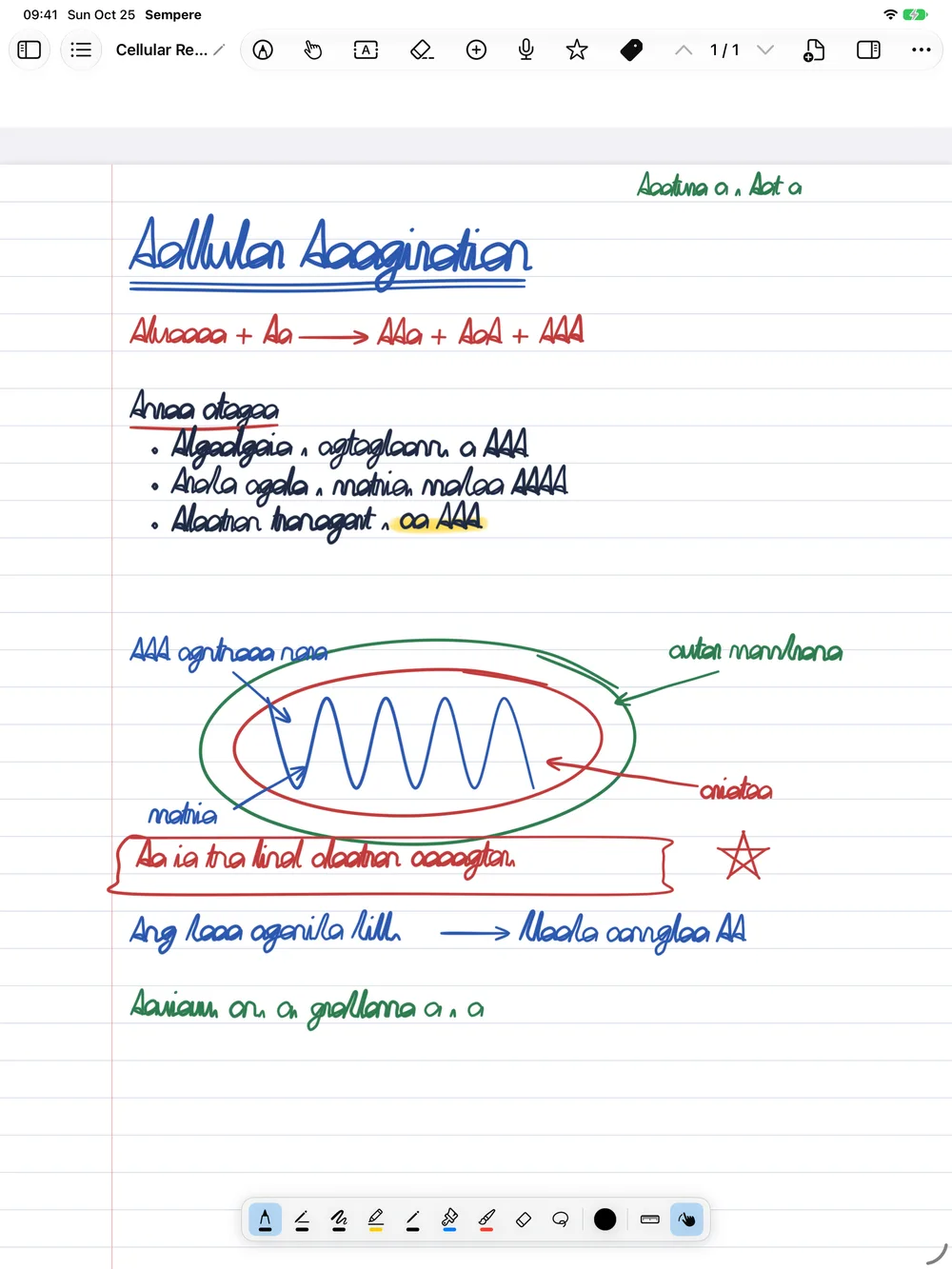
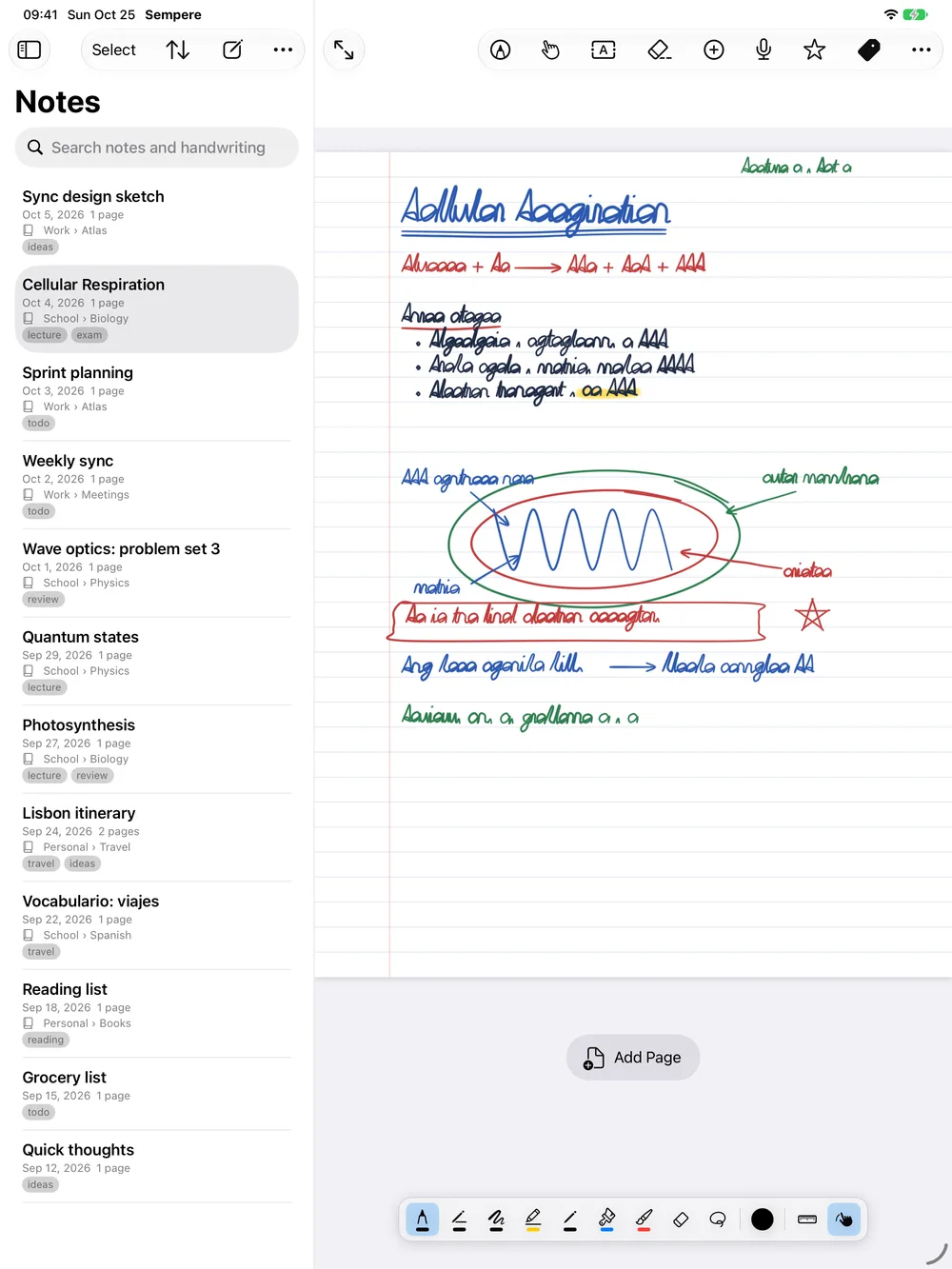
A lecture note in Sempere on an iPad, with a heading, a diagram and a highlight

Ink

  • Apple Pencil, or a finger: pen, monoline, fountain pen, marker, pencil, watercolor and crayon, with object and pixel erasers, a lasso and a ruler.
  • Vector strokes: erasing, export and search stay clean at any zoom.
  • Paper: ruled, grid, dots and more; pages or one endless page.
  • Write over PDF pages.
  • The same note view on iPad, iPhone and Mac: Reading, Hand and Annotate.
  • Every save is kept as a restore point.
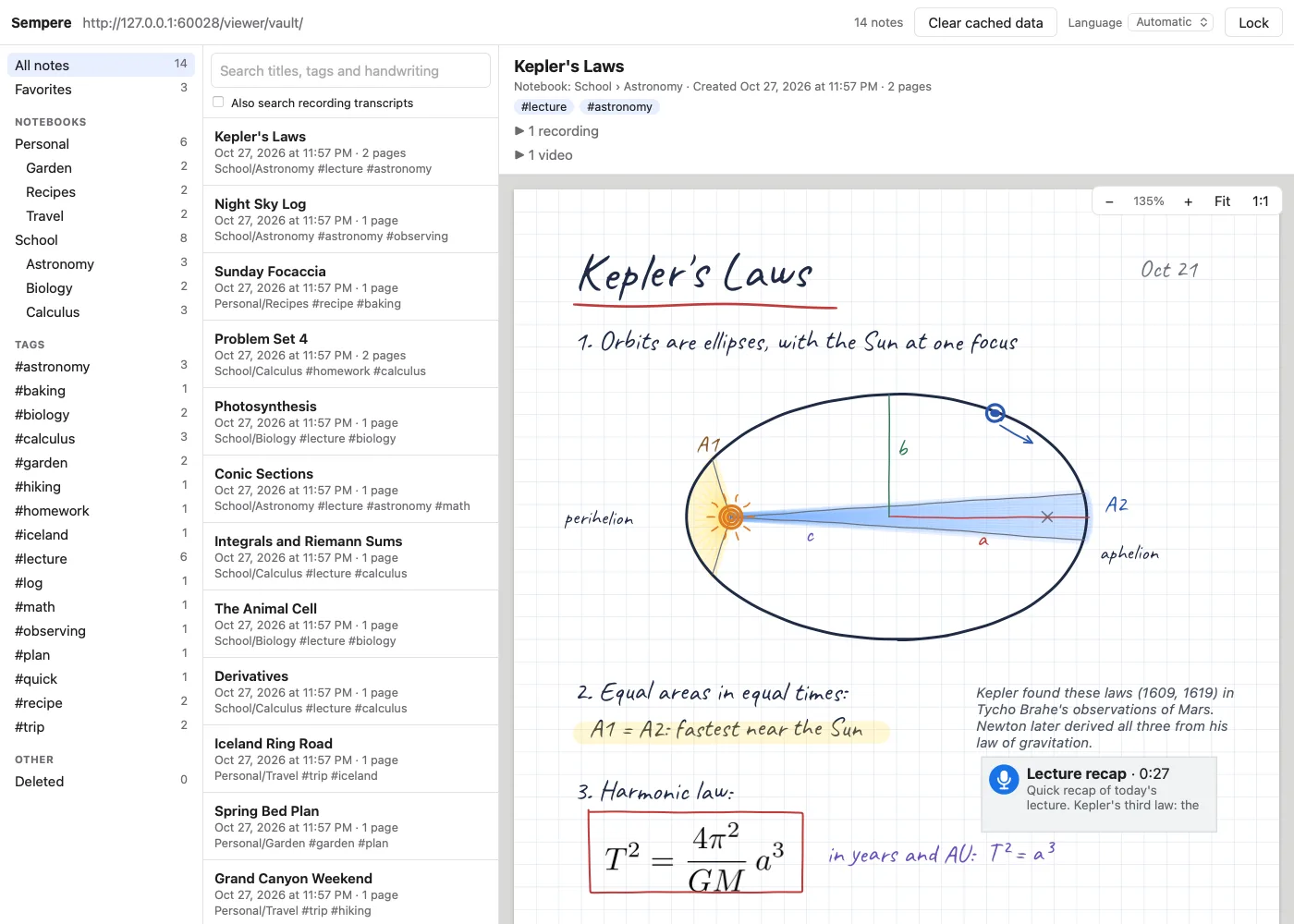
A note with handwriting, a text box, an equation and a diagram in the web viewer

Items on the page

  • Images, video, PDFs, LaTeX equations, text boxes in any script, Markdown text boxes with LaTeX.
  • Audio recordings linked to the ink: tap a stroke to hear that moment.
  • Quick voice notes from the Lock Screen, a widget, Control Center, the Action button, Siri or the Mac menu bar, saved without unlocking the vault.
  • Transcription runs on the device, when you turn it on.
  • Photos lose location and camera metadata by default.
The note list in Sempere with a search field

Search

  • Handwriting recognition runs on the device (Apple Vision), on by default.
  • Search covers titles, tags, notebooks, recognized handwriting, text boxes, PDF text and transcripts.
  • Nested notebooks and tags.
$ sempere vault init Notes.sempere --recovery-out recovery.key
$ sempere keys paper --vault Notes.sempere --identity recovery.key --out kit.pdf
$ sempere notes list --notebook School
$ sempere notes search "eigenvalue"
$ sempere export "Lecture 4" --format pdf --out lecture-4.pdf
$ sempere export --all --format markdown --out ~/Obsidian/Sempere
$ sempere backup Notes.sempere --to /Volumes/Backup/Notes.sempere-backup
$ sempere vault verify

Export and CLI

  • App: PDF (optionally with recordings and clips embedded), PNG pages, Markdown text, and Media (a note's attachments as files).
  • CLI: the same, plus SVG, Markdown for Obsidian, single-file HTML, JSON.
  • The CLI covers vaults and devices, notes, import, search, backup and restore, and two-way sync, with --json.
  • It runs on macOS and Linux. What differs; reference.

How your notes stay private

What is encrypted, what someone holding your files can still see, and what Sempere does not protect.